The short version
- EFB: Pilot Brief has become Documents (that's where your OFP is now), and Departure Perf and Arrival Perf are renamed Takeoff and Landing.
- GSX integration: if you own GSX, there's a toggle for each job. The GPU, boarding and even pushback can be automatic.
- Fenix app: the Sim Settings tab has gone and Ground Services has a new Toggle NWS Pin button.
- MCDU: INIT REQUEST now fills your flight number. In V2 you typed it yourself.
- Cabin crew: a virtual purser who arms the slides, plus a cabin ready call you can switch on.
- Flow order: unchanged. A V3 cold and dark start is the same sequence.
The EFB, screen by screen
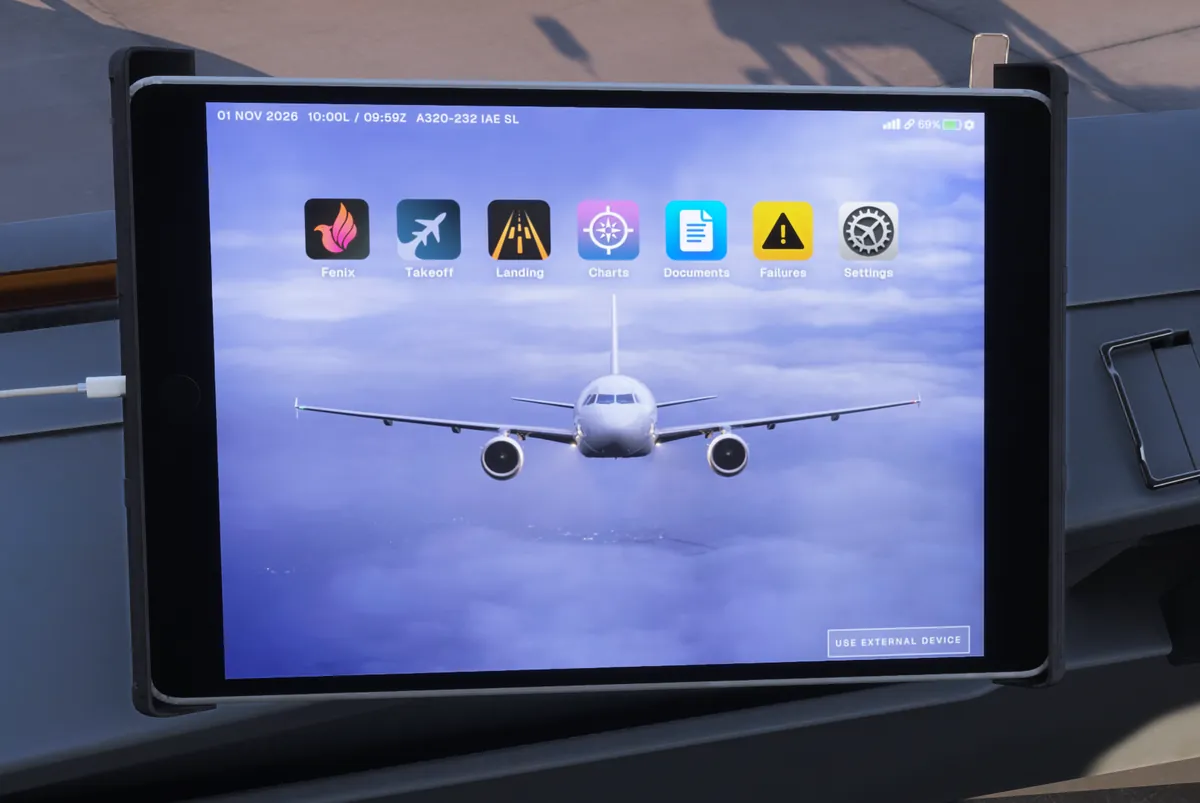
Still seven apps: Fenix, Takeoff, Landing, Charts, Documents, Failures and Settings. Compared with V2, Pilot Brief has become Documents, Departure Perf and Arrival Perf have new names, and the Delay Allocation Card button has moved into Documents.
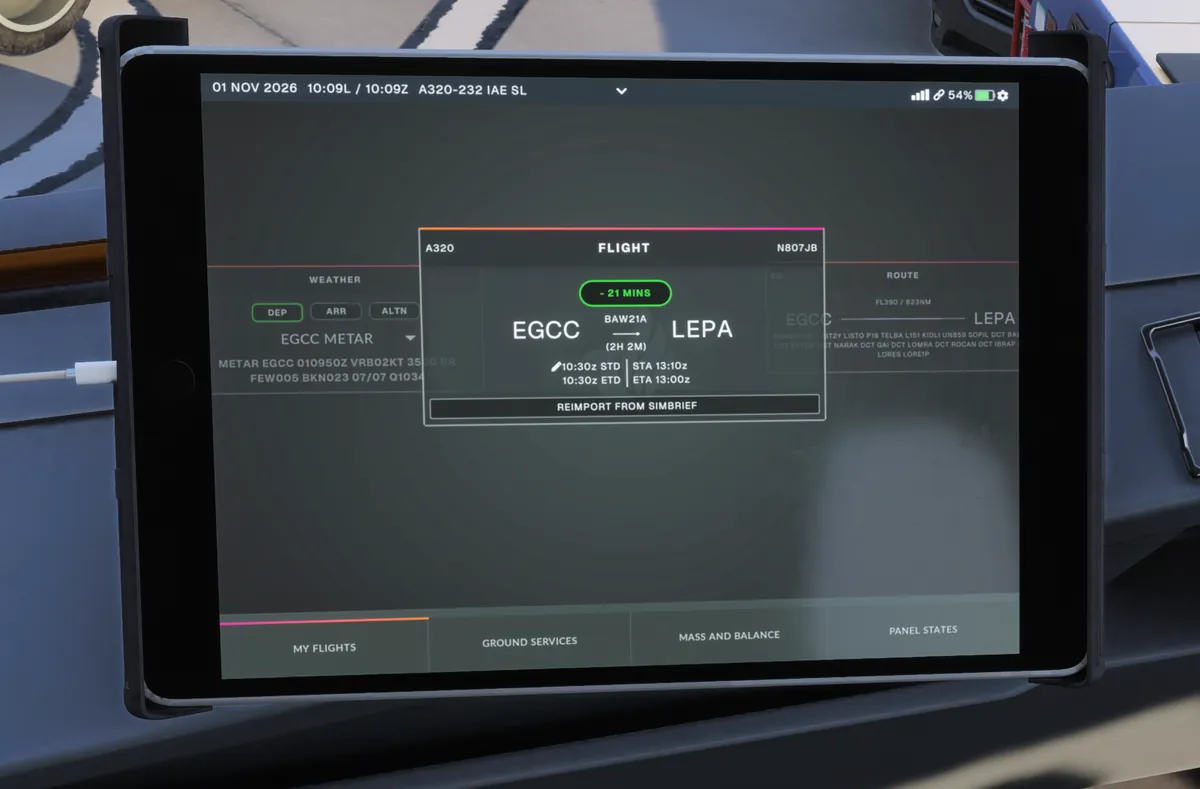
Fenix app: four tabs
Along the bottom: My Flights, Ground Services, Mass and Balance and Panel States. The old Sim Settings tab has gone; those options now live in the Settings app. My Flights is where you import from SimBrief; tap Reimport from SimBrief if you change the plan.
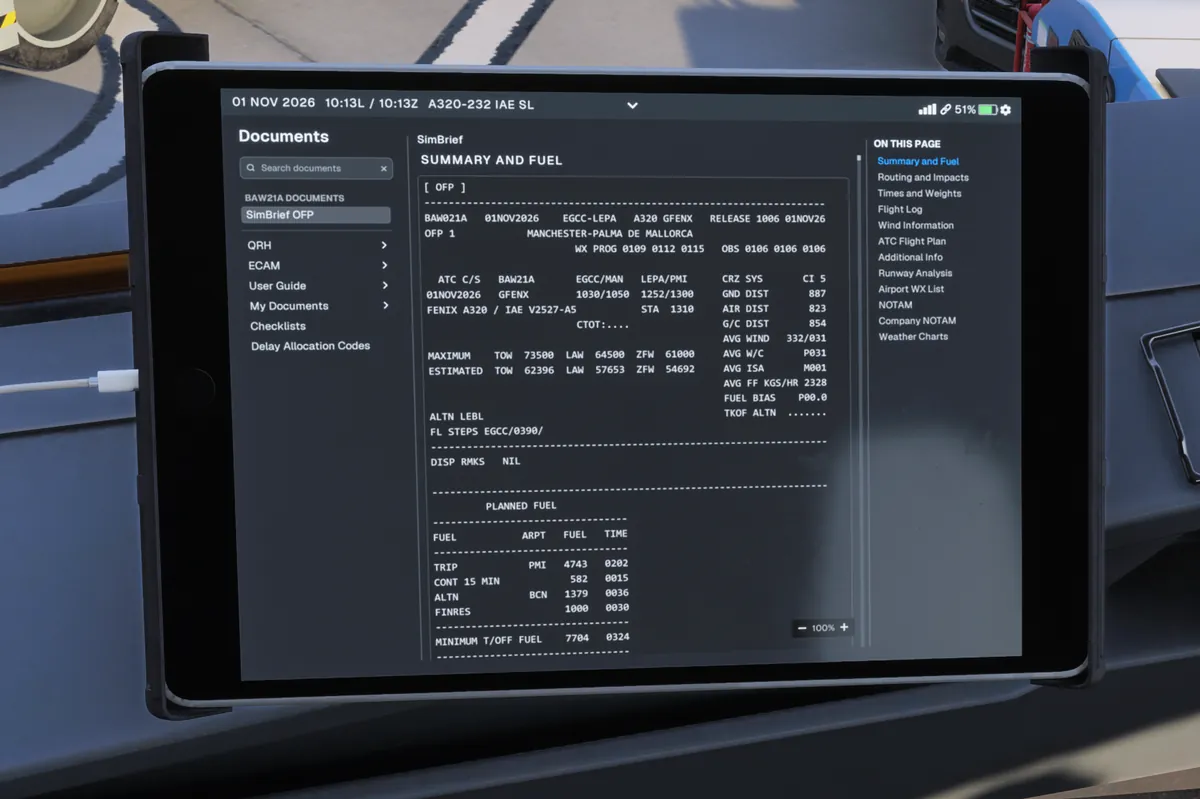
The OFP has moved to Documents
The old Pilot Brief app (the pilot icon) has gone. Your OFP now lives in Documents and it's at the top as SimBrief OFP, with an index down the side. Documents also holds the QRH, ECAM, a User Guide and the Fenix Checklists.
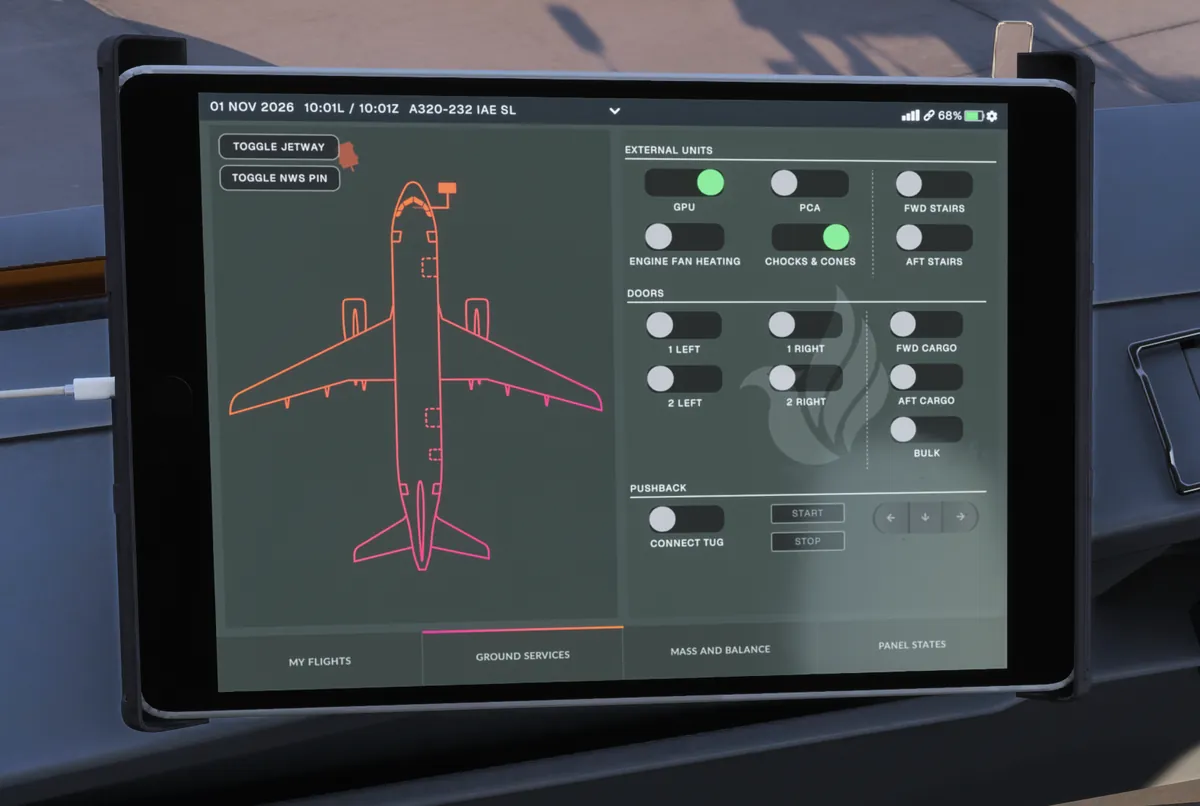
Ground Services
GPU, PCA, chocks, stairs, every door and pushback, all on one page, as before. New in V3: a Toggle NWS Pin button next to Toggle Jetway, for the nosewheel steering pin used during pushback.
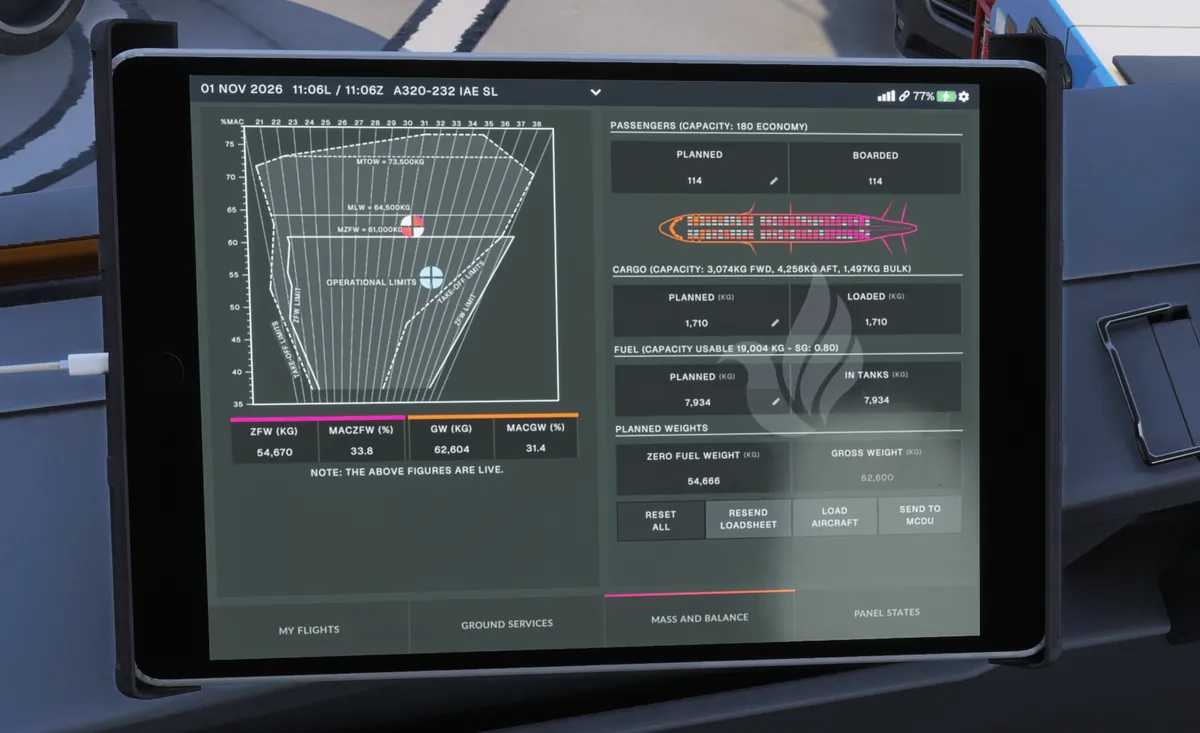
Mass and Balance
Load Aircraft starts fuel and boarding, and Send to MCDU fills INIT B with your zero fuel weight, CG and block fuel. Same as before.
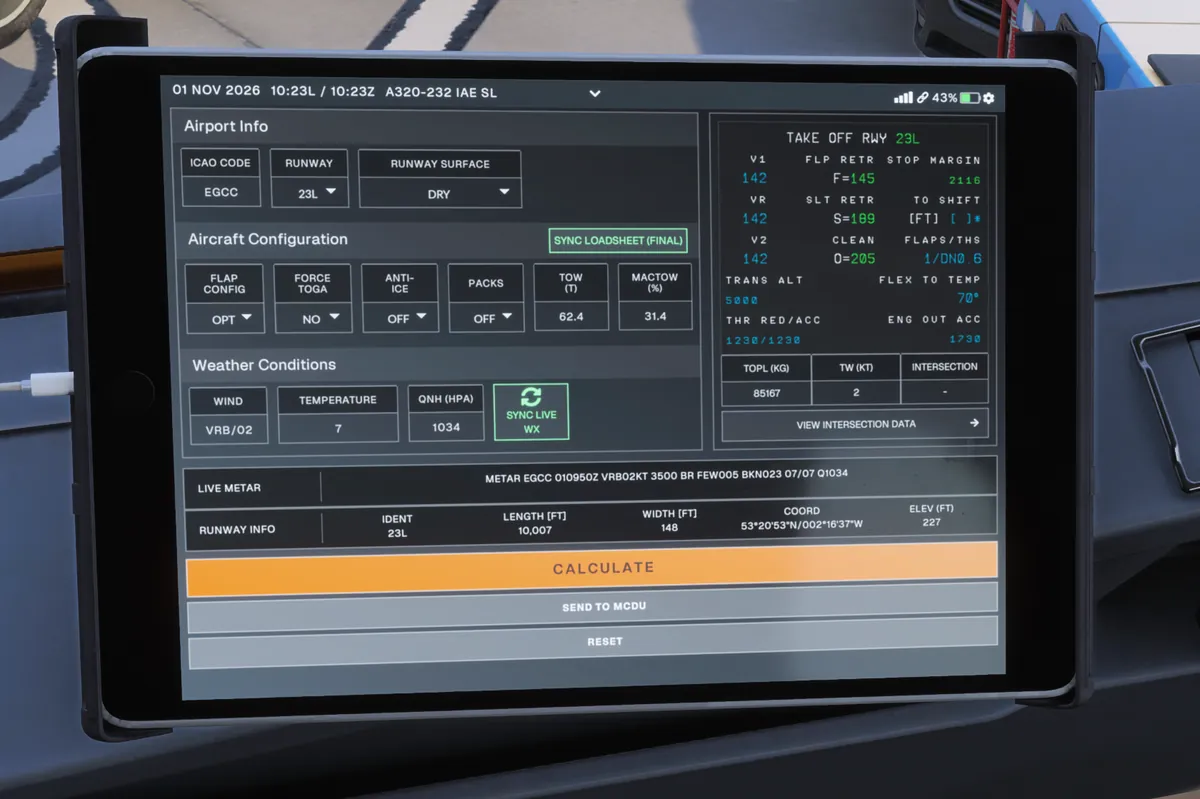
Takeoff and Landing apps
Takeoff is Departure Perf with a new name; the screen itself is the same. Sync Loadsheet pulls in your weights, Sync Live WX pulls the weather, then Calculate and Send to MCDU. The right-hand side shows exactly what will land on PERF TAKEOFF. Packs default to OFF: change it in the Packs box, or set Packs On for Takeoff Performance in Settings › Aircraft.
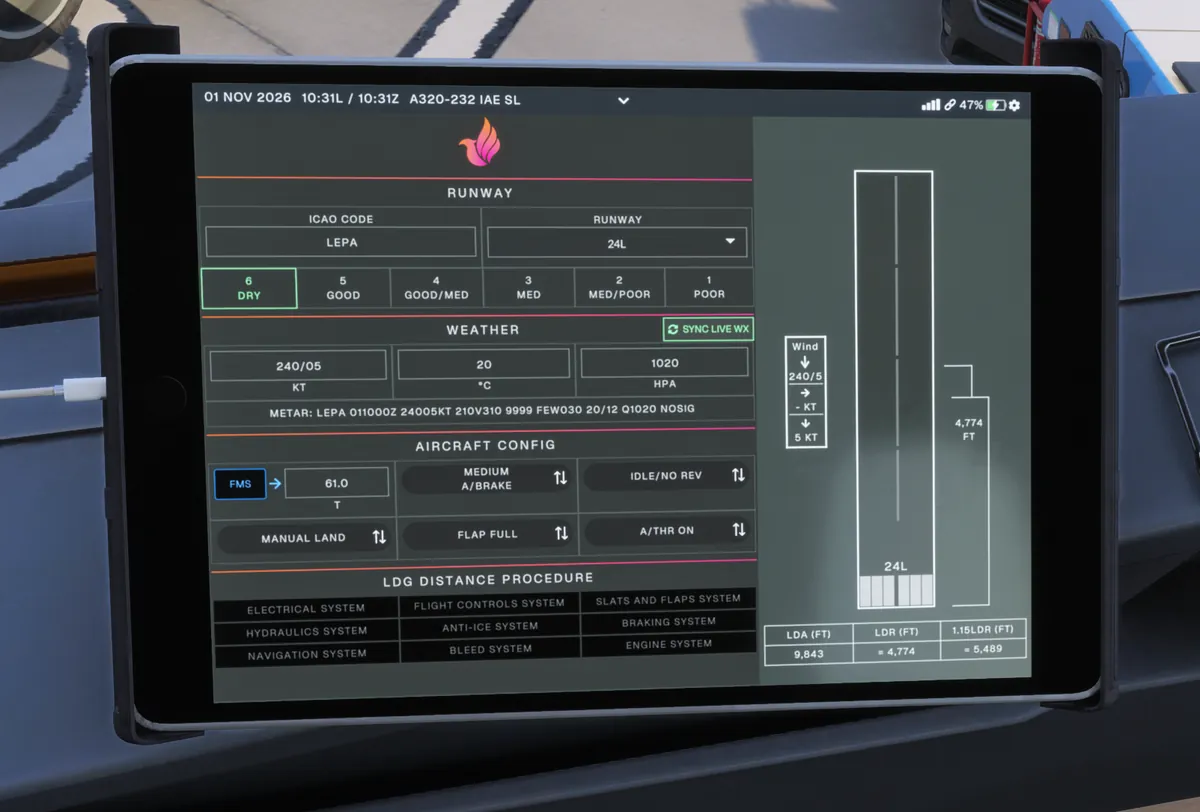
Landing is the renamed Arrival Perf. It uses the runway condition scale from 6 (dry) to 1 (poor), and has buttons for landing with failures. The FMS button imports your landing weight from the FMS. At the gate mine showed 0.0, so I typed it from the OFP.
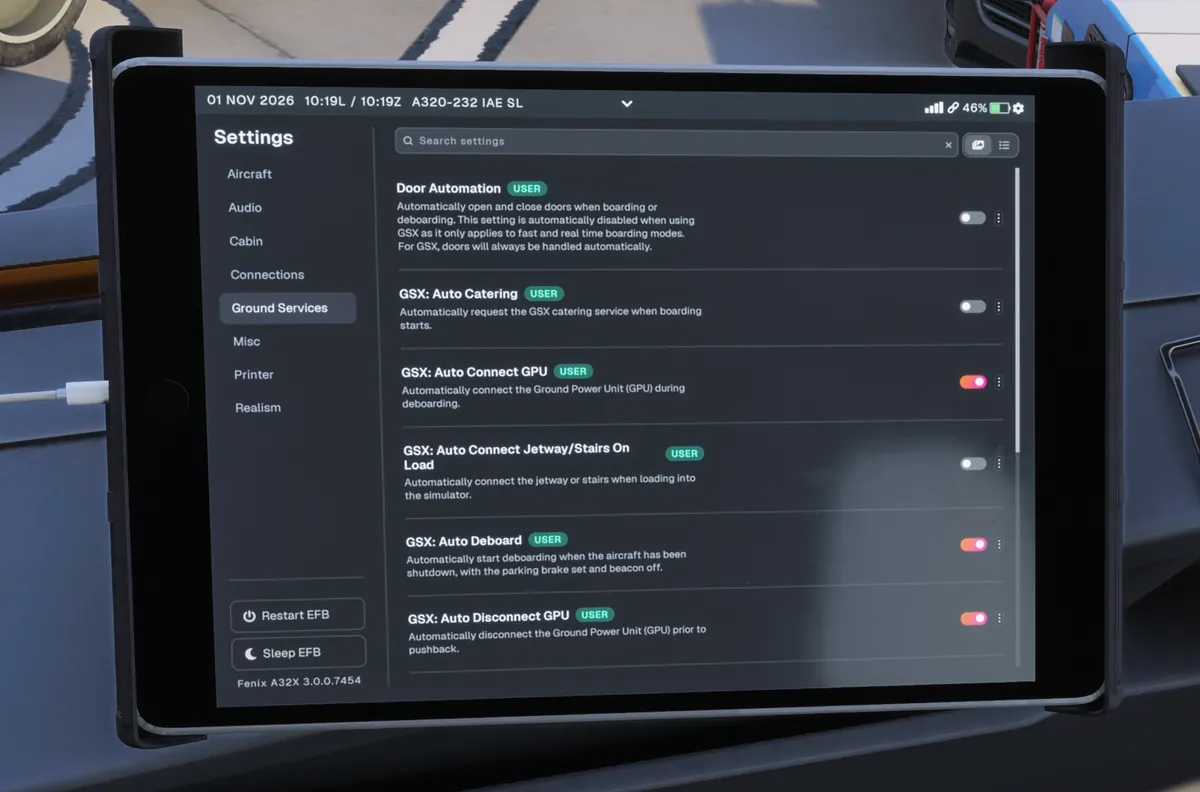
GSX: one toggle per job
In Settings › Ground Services, each GSX job has its own switch. The ones that change your flow:
| Setting | What it does | What it means for you |
|---|---|---|
| Auto connect GPU | Connects the GPU during deboarding | GPU may already be on when you start |
| Auto disconnect GPU | Removes it before pushback | Still switch EXT PWR off yourself first |
| Auto pushback | Calls the push when the beacon goes on | Don't switch the beacon on until you're cleared to push |
| Auto deboard | Starts after shutdown, park brake set, beacon off | Follows your Parking flow |
Your new cabin crew
Settings › Cabin turns on a virtual purser. With Cabin Ready Call on, the crew call the flight deck when the cabin's ready, and the purser arms the slides before departure and disarms them at the gate. The DOOR page shows SLIDE at every door once they're armed.
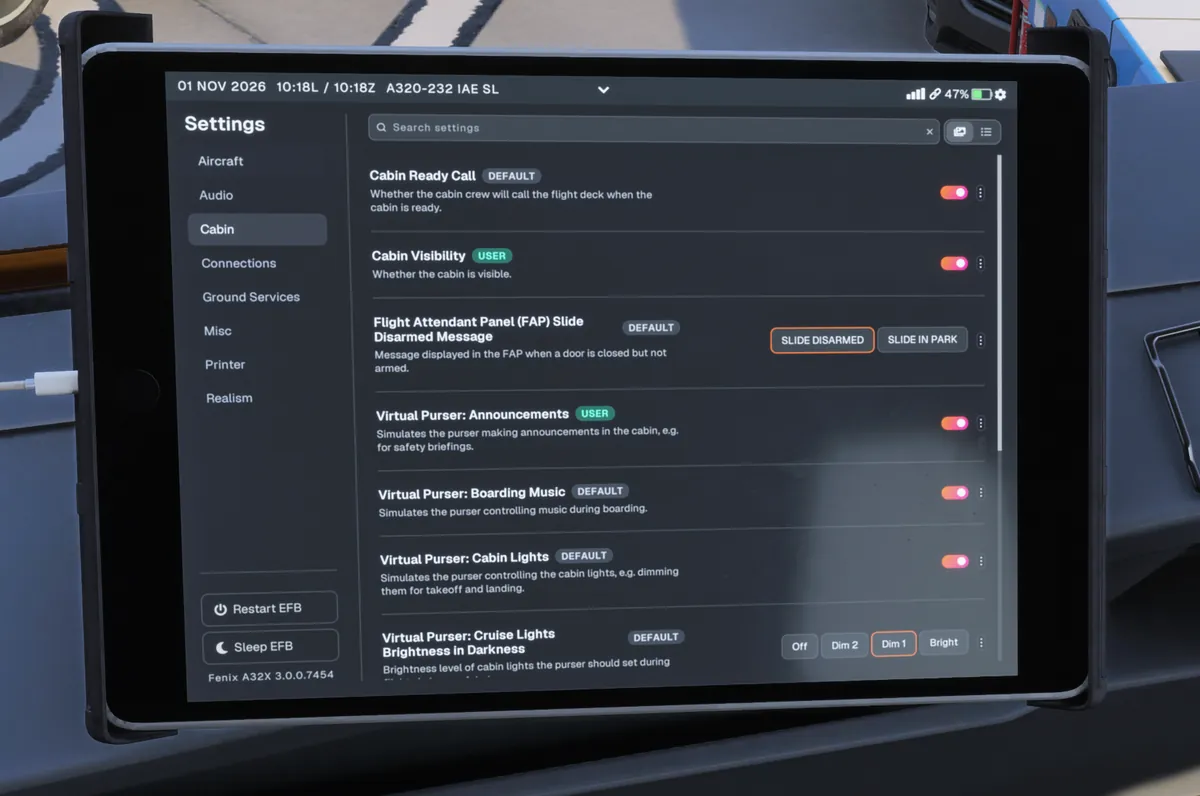
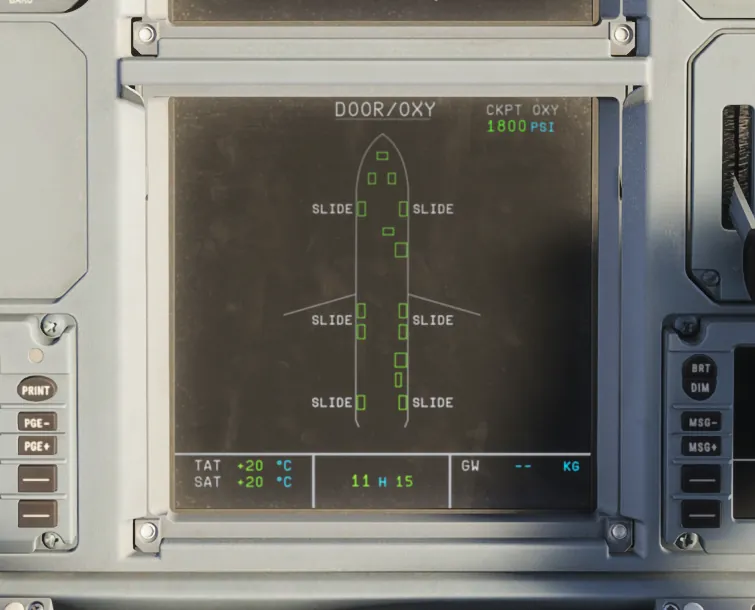
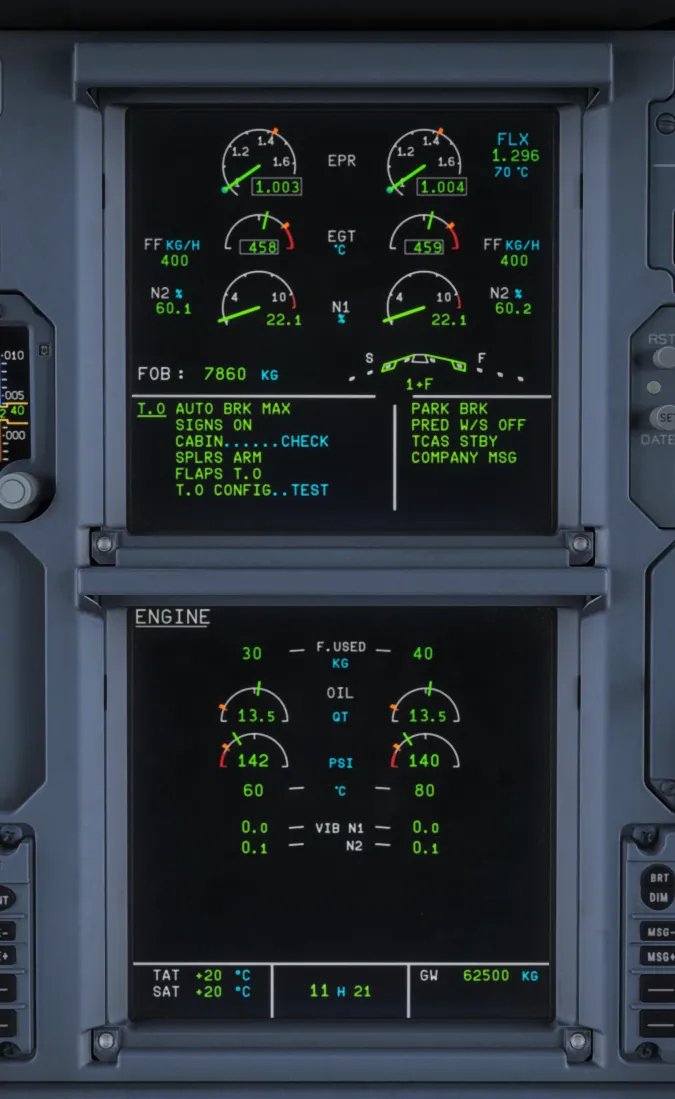
On the takeoff memo, the cabin line shows CABIN ...... CHECK in blue. I used instant boarding for this test, which skipped the purser's routine, so I didn't see the call itself. Give the crew time to board normally and you'll get it.
The MCDU in V3
One real change. The uplink is the same as before: ATSU › AOC MENU › FLT INIT › INIT DATA REQ*, then INIT REQUEST* on INIT A, but:
- New in V3: the flight number fills itself. In V2 you typed it into FLT NBR. Now you only type the cost index and cruise level.
- Not new, but often missed: winds are a separate request. Press WIND> (4R), then WIND REQUEST* (3R). One press loads climb, cruise and descent winds.
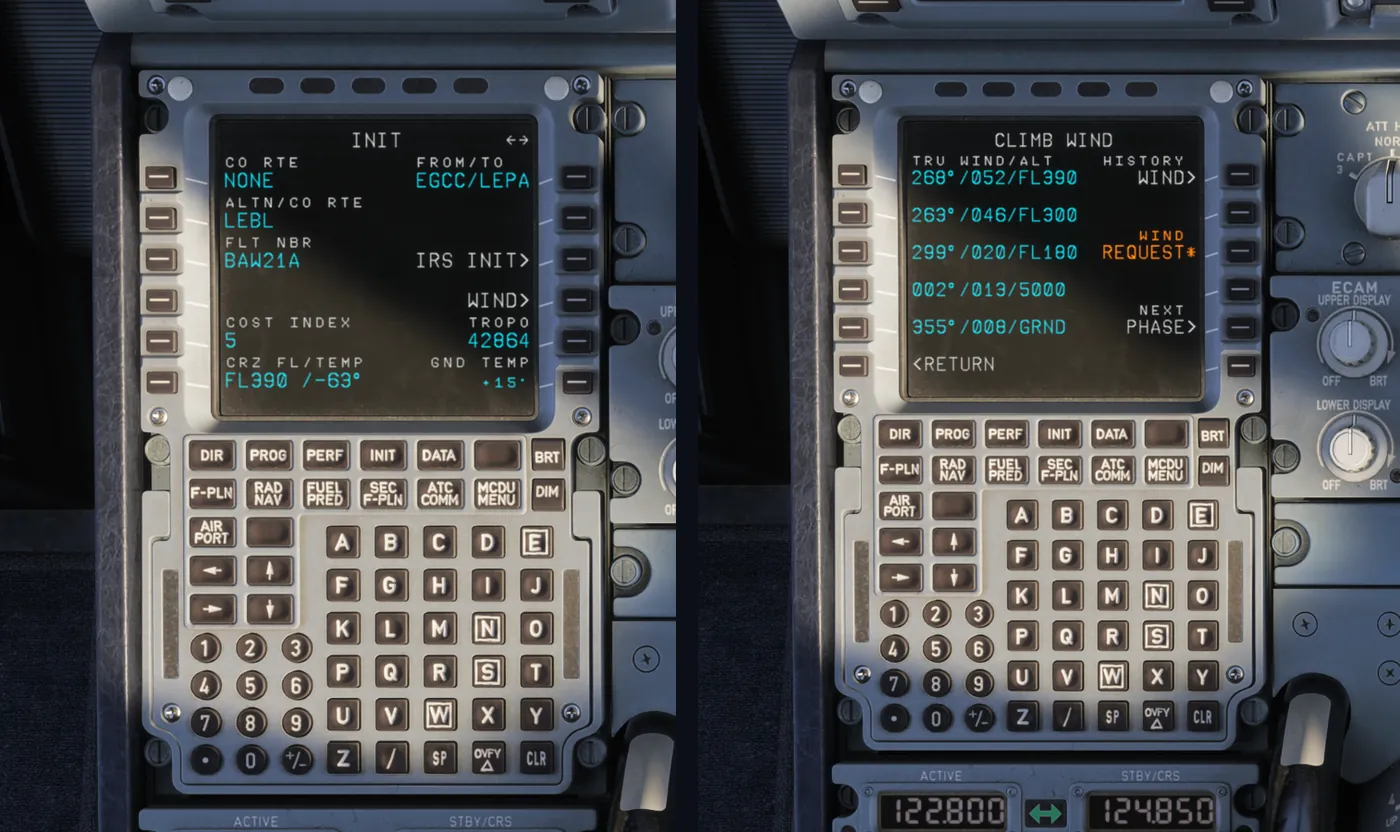
The SID and STAR still need adding from the DEPARTURE and ARRIVAL pages, and the secondary flight plan works as before: COPY ACTIVE, NEW DEST, add the approach, ACTIVATE SEC at 4L. It's all in our MCDU tutorial.
Two things that look different but aren't V3
The overhead ADIRS panel
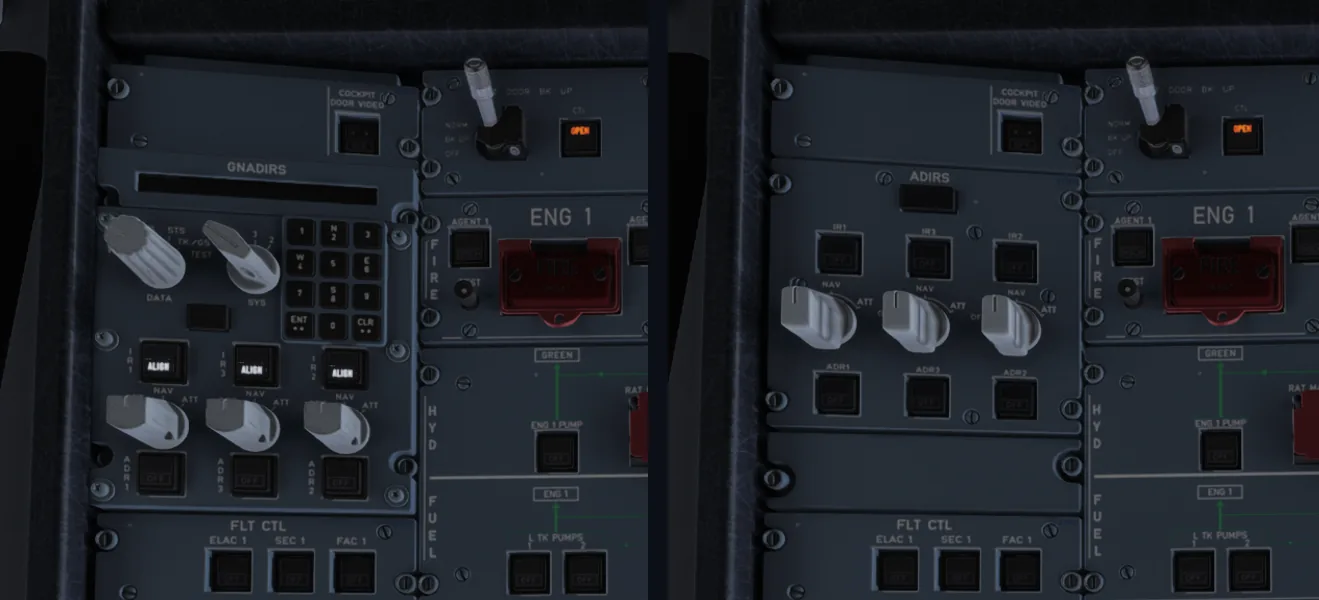
If your overhead has a keypad where the ADIRS knobs used to be, that's the newer GNADIRS panel, chosen by your livery. Same place, but the three mode knobs sit lower. Swap it in Settings › Aircraft › ADIRS.
EPR on the IAE
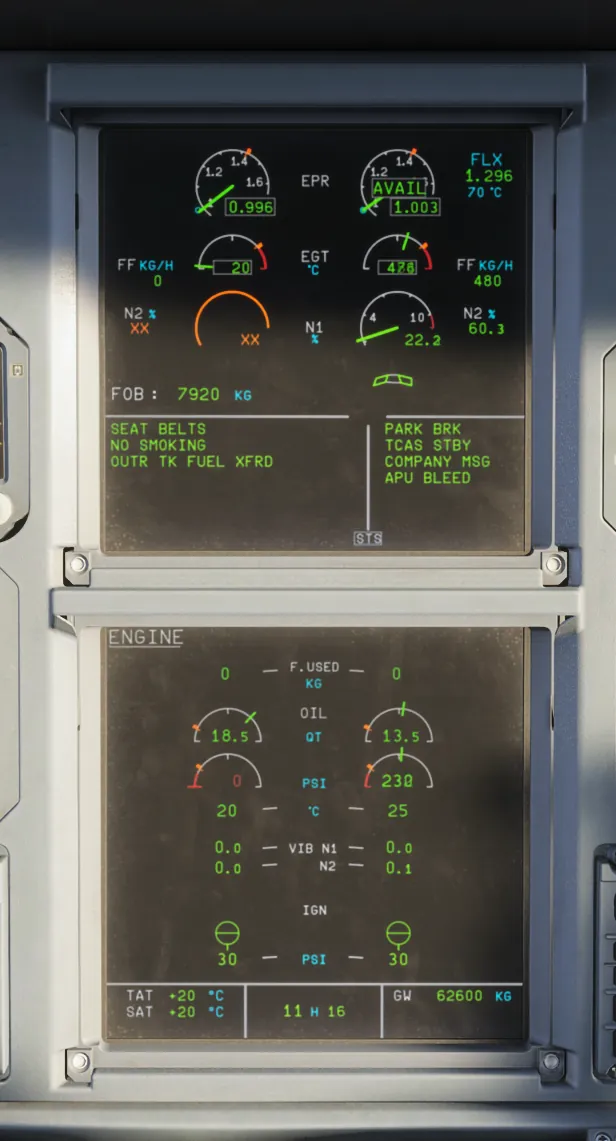
Fly the IAE Fenix and your main engine gauge is EPR, not N1. Stable at idle shows AVAIL and about 1.00 EPR, and the Airbus FCOM uses 1.05 EPR on the IAE where CFM crews use 50% N1 to stabilise before takeoff.
What hasn't changed
The flow. Power up, ADIRS, overhead, APU, MCDU, Before Start, push and start: a V3 cold and dark start is the same sequence. Our cold and dark startup guide and checklist have both been updated for the new EFB.
Fenix V3 questions
Where is the OFP in Fenix V3?
In the Documents app on the EFB, under your flight's documents as SimBrief OFP. It used to be in the Pilot Brief app, which has gone. You import the flight in the Fenix app under My Flights, and the OFP appears in Documents.
Where did Departure Perf and Arrival Perf go in Fenix V3?
They've been renamed Takeoff and Landing. The screens work the same way: Takeoff still has Send to MCDU, and Landing is a check you review.
Does SimBrief still fill in the MCDU in Fenix V3?
Yes, the same way as before: AOC menu, FLT INIT, INIT DATA REQ, then INIT REQUEST on INIT A. That fills your airports and route, and in V3 your flight number too (in V2 you typed it). Winds are a separate WIND REQUEST from the WIND page, as before.
Why does my Fenix overhead look different?
Some liveries use the newer GNADIRS panel, with a keypad and the IR knobs lower down. Change it in EFB Settings › Aircraft › ADIRS if you want the classic panel.
Do my old Fenix checklists still work in V3?
The flow order is the same, so mostly yes. What changed is where things are on the EFB, so any step that says Departure Perf, Arrival Perf or Pilot Brief needs updating. Flight Sim Academy's checklist has been updated for V3.
Updated for V3. Every phase.
Flight Sim Academy's checklist, MCDU tutorial and Explore the Cockpit have all been checked on Fenix V3. Start free; unlock all 21 phases for £9.99, once.